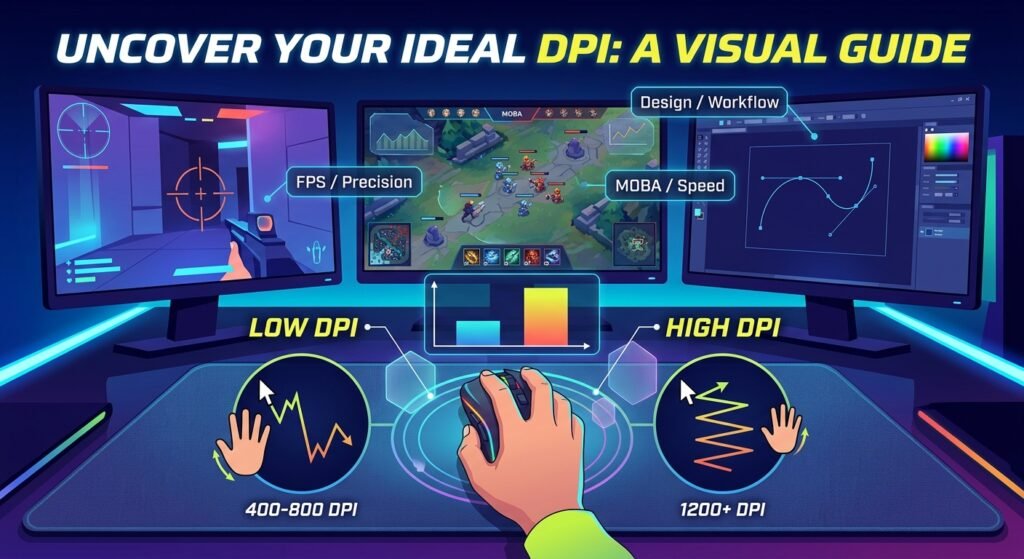
“What DPI should I use?” is one of the most common questions in gaming communities — and one of the most misunderstood. There’s no single universal answer, because the ideal DPI depends on your mouse, your mousepad size, your monitor, the game genre you play, and your personal aiming style. But there are well-established ranges that most competitive and casual gamers gravitate toward, and understanding why those ranges work can help you find your own ideal setting faster.
This guide breaks down recommended DPI ranges by activity and genre, explains the tradeoffs between high and low DPI, and shows you how to combine DPI with in-game sensitivity to land on a setting that actually feels good to play.
The Short Answer: Recommended DPI Ranges
If you just want a starting point, here’s a general breakdown by use case:
| Activity | Recommended DPI Range |
|---|---|
| Competitive FPS Gaming | 400–800 |
| General / Casual Gaming | 800–1200 |
| Graphic Design / Precision Work | 1200–1600 |
| Everyday Productivity | 800–1200 |
These are starting ranges, not hard rules — your ideal number also depends heavily on your in-game sensitivity, mousepad size, and monitor setup, which we’ll cover below.
Why Low DPI Dominates Competitive FPS Gaming
If you look at DPI settings across professional Valorant, CS2, and other tactical shooter players, you’ll notice a strong pattern: most stick to the 400–800 range, even though their mice are often capable of going far higher (many gaming mice today support DPI up to 20,000 or more).
There’s a practical reason for this. Lower DPI requires larger physical mouse movements to cover the same on-screen distance. That might sound like a downside, but for precision aiming it’s actually an advantage:
- Larger movements are easier to control precisely. Small, involuntary hand tremors have less relative impact on your aim when your DPI is lower, because the cursor moves less per unit of hand movement.
- Flick shots become more consistent. Using your whole arm or wrist for a controlled physical movement tends to be more repeatable than making tiny, high-precision movements with your fingers alone.
- It scales well with large mousepads. Competitive players often use oversized mousepads specifically so they have enough physical space to make full use of a lower DPI setting.
This is why “low DPI, high sensitivity mousepad usage” has become something of an industry standard in competitive FPS circles.
Why Higher DPI Still Has a Place
Higher DPI isn’t wrong — it’s just suited to different needs:
- Casual and non-competitive gaming. If you’re not chasing competitive precision, a higher DPI that lets you play comfortably on a smaller desk or mousepad is perfectly fine.
- High-resolution monitors. As monitor resolutions increase (1440p, 4K, ultrawide), you need more raw cursor movement to cross the screen, which can make higher DPI more comfortable for general navigation.
- Productivity and design work. Tasks like photo editing or CAD work often benefit from higher DPI paired with lower in-game—err, in-software—sensitivity, giving fine control over small areas without large physical arm movements.
- Limited desk space. If you don’t have room for a large mousepad, a moderately higher DPI lets you still cover the full screen without running out of physical space mid-movement.
DPI Alone Isn’t the Full Picture — eDPI Is
Here’s the part that trips a lot of players up: DPI by itself doesn’t tell you how fast your aim actually feels. That depends on the combination of your DPI and your in-game sensitivity — a number known as eDPI (effective DPI).
For example, both of these setups feel identical in-game, despite very different DPI numbers:
| Setup | DPI | In-Game Sensitivity | eDPI |
|---|---|---|---|
| A | 400 | 0.8 | 320 |
| B | 800 | 0.4 | 320 |
This is why simply copying a pro player’s DPI number without also matching their in-game sensitivity (or converting properly) won’t give you their actual aim feel. If you want to find your ideal combined setting, use our free eDPI Calculator — enter your DPI and sensitivity to see your eDPI, and compare it against common competitive ranges.
How to Find Your Ideal DPI Step-by-Step
- Start in the recommended range for your activity. For competitive FPS, start around 400–800 DPI as a baseline.
- Verify your mouse’s actual DPI output. Advertised DPI isn’t always accurate — run our free DPI Analyzer to confirm your mouse is delivering the DPI it claims.
- Adjust in-game sensitivity to match your preferred eDPI. Rather than guessing, calculate your eDPI directly to understand your true aim speed.
- Test in-game with real scenarios. Deathmatch modes, aim trainers, or bot lobbies are great for testing whether your sensitivity lets you comfortably track moving targets and land flicks.
- Fine-tune gradually. Make small adjustments (10-15% at a time) rather than large jumps — big sensitivity changes reset your muscle memory and make it harder to judge whether a change actually helped.
- Lock it in across games. Once you find a setting you like, use our Mouse Sensitivity Converter to carry that exact feel into every other FPS title you play, so your muscle memory transfers cleanly instead of resetting every time you switch games.
DPI Recommendations by Genre
Tactical/Competitive FPS (Valorant, CS2, R6 Siege): Favor lower DPI (400–800) paired with a large mousepad, prioritizing precision over raw speed.
Battle Royale (Fortnite, Apex, PUBG): Slightly wider range (400–1200) is common, since gameplay often mixes fast building/movement with precision gunfights.
Hero Shooters (Overwatch 2, Marvel Rivals): Similar to tactical shooters, though character-specific playstyles (snipers vs. brawlers) can shift preferences within the range.
MOBA / Strategy: Higher DPI (1200+) is common since cursor speed and screen coverage matter more than fine tracking precision.
Design & Productivity: Higher DPI (1200–1600) paired with lower software sensitivity gives fine control for detailed work.
Common DPI Mistakes to Avoid
- Chasing extremely high DPI for “faster” aim. Speed without control usually hurts accuracy more than it helps.
- Copying a pro’s DPI without their sensitivity. As covered above, DPI alone is meaningless without the matching in-game sensitivity.
- Never verifying actual DPI output. Advertised DPI and real DPI output can differ, especially on budget mice — always confirm with a DPI Analyzer rather than trusting the box.
- Changing sensitivity too often. Constant tweaking prevents your muscle memory from ever fully adapting to a setting.
Final Thoughts
There’s no universal “best” DPI — only a best DPI for your setup, genre, and playstyle. Competitive FPS players generally benefit from lower DPI (400–800) paired with a larger mousepad, while casual and productivity use cases can comfortably go higher. What matters most isn’t the raw DPI number, but your combined eDPI and how consistently you can control it.
Ready to dial in your own setting? Start by verifying your mouse’s real DPI with our free DPI Analyzer, then calculate your ideal eDPI with our eDPI Calculator to find a setting that’s built specifically around how you actually play.