If you have ever shopped for a gaming mouse, you have seen the number splashed across the packaging: “16,000 DPI” or “26K DPI Sensor.” It sounds impressive, but most gamers have no real idea what DPI actually means, how it affects their aim, or whether their mouse is even delivering the DPI it claims. This guide breaks it down in plain English, no jargon, no fluff.
What Does DPI Mean on a Mouse?
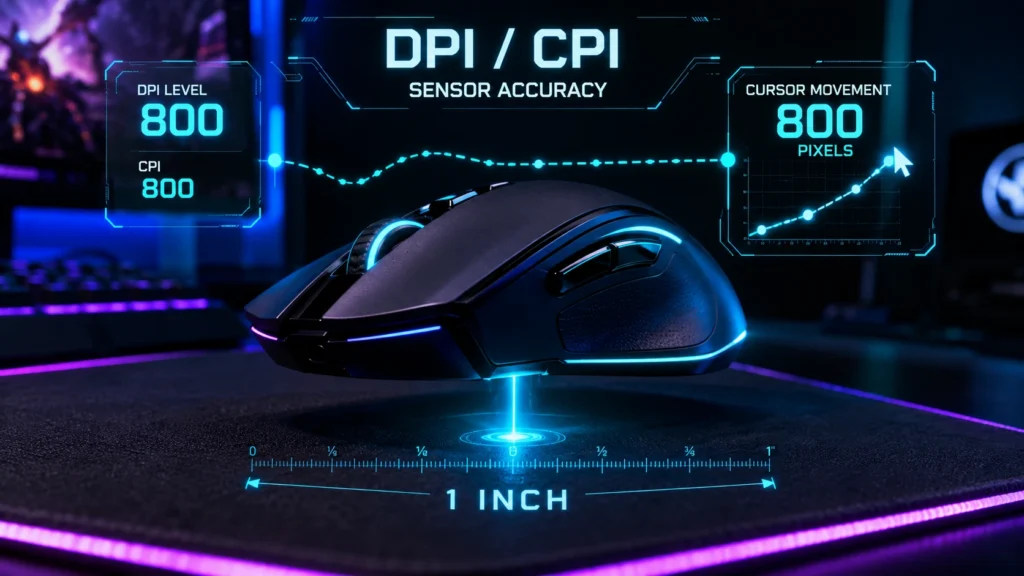
DPI stands for Dots Per Inch. In the context of a computer mouse, it describes how many pixels your cursor moves on screen for every one inch you physically move the mouse across your desk or mousepad.
So if your mouse is set to 800 DPI, moving it one inch to the right will move your cursor 800 pixels to the right. Set it to 1600 DPI, and that same one inch movement now moves the cursor 1600 pixels, twice as far.
In simple terms: higher DPI means more cursor movement per inch of physical hand movement, and lower DPI means less cursor movement per inch.
How is DPI Actually Measured?
Inside every mouse is an optical or laser sensor that tracks movement across a surface. This sensor takes thousands of “snapshots” per second of the surface beneath it and calculates how far it has moved. The DPI setting tells the sensor how many on screen pixels to translate that physical movement into.
The formula looks like this:
Cursor Movement (pixels) = Physical Mouse Movement (inches) x DPI
DPI vs CPI: Is There a Difference?
Technically, yes, though the terms are used interchangeably in gaming. CPI (Counts Per Inch) is the more accurate technical term, since it refers to how many “counts” the sensor reports per inch of movement. DPI is technically a printer term that got adopted by the gaming industry. For all practical purposes, when a mouse box says “16,000 DPI,” it means the same thing as 16,000 CPI.
Why Advertised DPI Isn’t Always Accurate
Here is something most gamers don’t know: the DPI number printed on the box or shown in software is not always what your mouse is actually outputting. Manufacturing tolerances, sensor firmware, and even the surface you are using can cause your real DPI to differ from the advertised number, sometimes by 5 to 10 percent or more.
This matters because your entire sensitivity setup, aim training, and muscle memory depend on consistent, accurate DPI. If your mouse is secretly running at 850 DPI instead of the 800 you set it to, your aim will feel slightly off without you knowing why.
The only way to know for sure is to test it. You can verify your mouse’s true DPI output for free using our DPI Analyzer, a browser based tool that measures your actual cursor movement against physical distance moved, no downloads required.
How DPI Affects Gaming Performance
DPI directly controls how “twitchy” or “smooth” your mouse feels in game. Here is how different DPI ranges typically play out:
Low DPI (400 to 800)
Requires larger physical arm movements to turn or aim. Preferred by most competitive FPS players because it offers more fine control and precision for tracking targets at range. This is the standard range used in games like Valorant, CS2, and Apex Legends by professional players.
Medium DPI (800 to 1600)
A balanced middle ground. Good for players who split time between gaming, design work, and everyday productivity without constantly switching sensitivity profiles.
High DPI (1600 to 3200 and above)
Requires very little physical movement to cover the whole screen. Common among casual players, battle royale fans who need fast 180 degree turns, and content creators working across multiple monitors.
DPI Isn’t the Whole Story: Meet eDPI
Raw DPI alone doesn’t tell you how sensitive your mouse actually feels in a specific game, because every game has its own in game sensitivity multiplier. That is where eDPI (Effective DPI) comes in.
eDPI = Mouse DPI x In-Game Sensitivity
This is why two players can both use “800 DPI” but have wildly different aim. One might be running 0.3 in game sensitivity (eDPI 240) while the other runs 0.9 (eDPI 720). If you want to compare your setup to professional players or move your exact sensitivity feel between games, use our free eDPI Calculator.
What DPI Should You Actually Use?
There is no single “correct” DPI, but there are sensible starting points based on activity:
- Competitive FPS Gaming: 400 to 800 DPI with higher in game sensitivity
- Battle Royale / Casual Gaming: 800 to 1600 DPI
- Graphic Design / Photo Editing: 1200 to 1600 DPI for pixel level precision
- General Productivity / Office Use: 800 to 1200 DPI
Not sure where you fall? Take our free DPI Recommendation Quiz to get a personalized suggestion based on your playstyle in under 30 seconds.
Does a Higher Maximum DPI Make a Mouse “Better”?
This is one of the biggest myths in gaming hardware marketing. Almost every modern gaming mouse supports 16,000 DPI or higher, but virtually no gamer, including professional esports players, actually plays at that sensitivity. Most pros play between 400 and 1600 DPI.
A high maximum DPI number is mostly a marketing spec. What actually matters for competitive performance is:
- Sensor tracking accuracy and consistency
- Low click latency and polling rate
- Lift off distance (LOD) consistency
- Build quality and switch durability
How to Check and Change Your Mouse’s DPI
Most gaming mice let you adjust DPI in one of two ways:
- On the fly DPI button: Many gaming mice have a dedicated button (usually under the scroll wheel) that cycles through preset DPI stages.
- Manufacturer software: Brands like Logitech, Razer, and SteelSeries offer companion apps (G HUB, Synapse, GG) where you can set a custom, exact DPI value.
After changing your DPI in software, it is a good idea to verify the actual output rather than trusting the number shown on screen. Run a quick check with our DPI Analyzer to confirm your mouse is delivering exactly what you set it to.
Frequently Asked Questions
What does DPI mean on a mouse?
DPI stands for Dots Per Inch. It measures how many pixels the cursor moves on screen for every inch you physically move the mouse. A higher DPI means the cursor moves further for the same physical movement.
What is a good DPI for gaming?
Most competitive FPS players use a DPI between 400 and 800, paired with a higher in game sensitivity. What matters more than raw DPI is your eDPI, which typically falls between 20 and 40 for most shooters.
Does higher DPI mean a better mouse?
No. A higher maximum DPI does not make a mouse more accurate or better for gaming. Sensor quality, tracking accuracy, and consistency matter far more than the maximum DPI number printed on the box.
How do I check my mouse’s real DPI?
You can check your actual DPI output using a free browser based tool like the DPI Analyzer, which measures real cursor movement against physical mouse movement instead of relying on the number printed on the box.
Conclusion
DPI is one of the most misunderstood specs in PC gaming, but once you understand it, dialing in your perfect setup becomes much easier. Remember, it is not about chasing the highest DPI number, it is about finding a DPI and eDPI combination that feels consistent and controllable for your playstyle.
Ready to see what your mouse is really doing? Test your real DPI right now with our free DPI Analyzer, no downloads, no signup, just accurate results in seconds.