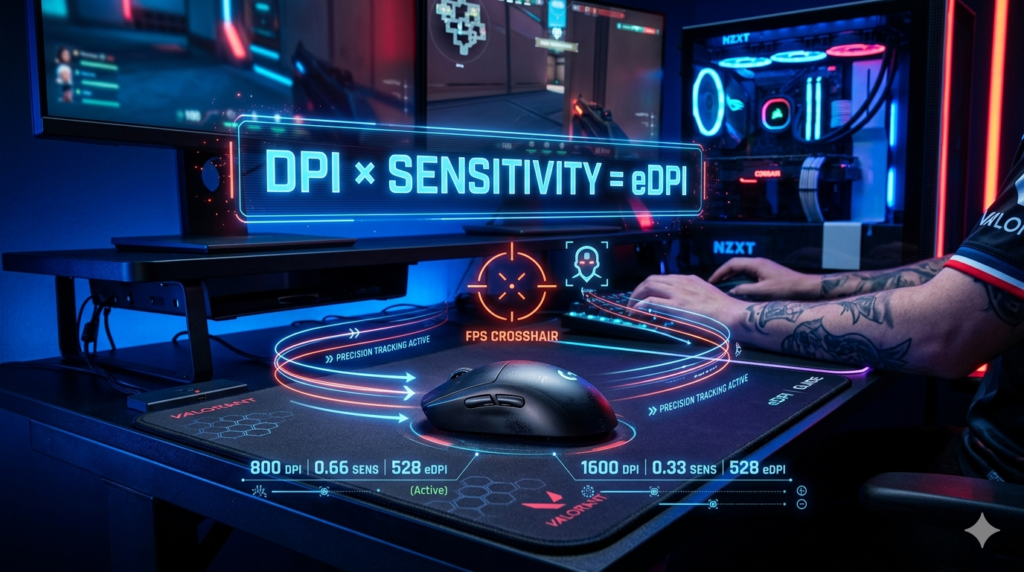
eDPI (effective DPI) is your mouse’s DPI multiplied by your in-game sensitivity. This single number represents your true aiming sensitivity during gameplay. Unlike DPI alone, eDPI accounts for both hardware and software settings, giving you a complete picture of how your crosshair moves.
eDPI gives you 3 main benefits: consistent aim across different games, easier comparison with pro players, and a standardized way to fine-tune your mouse settings. You can use eDPI to match sensitivity between Valorant and CS2, copy settings from players like PRX Something or EDG ZmjjKK, and find your optimal balance of speed and accuracy.
The eDPI formula has 2 components: your mouse DPI (hardware sensitivity) and your in-game sensitivity (software multiplier). Multiply these together to get your eDPI value.
What is DPI
DPI (dots per inch) measures how many pixels your cursor moves for each inch you move your mouse. A mouse set to 800 DPI moves the cursor 800 pixels per inch of physical movement.
Higher DPI means faster cursor movement. A 1600 DPI mouse moves twice as far as an 800 DPI mouse with the same physical motion. But DPI alone doesn’t tell the full story. Two players using 800 DPI can have completely different aiming experiences if their in-game sensitivity differs.
DPI is a hardware-level setting controlled by your mouse sensor. Most gaming mice let you adjust DPI in specific increments like 400, 800, 1600, or 3200. Your mouse’s native DPI (the sensor’s true resolution) affects tracking accuracy and precision.
What is in-game sensitivity mouse sensitivity
In-game mouse sensitivity is a software setting that multiplies your mouse’s DPI input. When you move your mouse, the game takes that DPI signal and applies the sensitivity multiplier to determine final crosshair movement.
Each game uses its own sensitivity scale. Valorant’s sensitivity of 0.5 feels different from CS2’s sensitivity of 2.0, even with the same mouse DPI. This makes direct sensitivity comparisons between games impossible without eDPI.
Higher in-game sensitivity creates faster crosshair movement but reduces precision. Lower sensitivity gives finer control but requires larger physical movements. Pro players typically use lower sensitivity for better accuracy during spray control drills and flick shot practice.
eDPI vs DPI vs In-Game Mouse Sensitivity
DPI (Dots Per Inch):
DPI measures hardware-level mouse sensitivity. It’s the physical resolution of your mouse sensor. Higher DPI means your cursor moves farther with less physical movement. DPI alone doesn’t account for software adjustments inside games.
In-Game Mouse Sensitivity:
In-game sensitivity is a software multiplier applied after DPI. Each game has its own sensitivity scale, making cross-game comparisons unreliable. This setting lets you fine-tune your aim without changing your mouse’s hardware DPI.
eDPI (Effective DPI):
eDPI combines DPI and in-game sensitivity into one number. The eDPI formula is simple: DPI × in-game sensitivity = eDPI. This single value represents your true aiming sensitivity regardless of which game you play.
eDPI, DPI, and In-Game Mouse Sensitivity Comparison
| Term | Definition | Limitation |
|---|---|---|
| eDPI | True sensitivity combining DPI and in-game sensitivity | Requires both values to calculate |
| DPI | Hardware-based mouse sensitivity | Ignores in-game software settings |
| In-Game Sensitivity | Software multiplier within the game | Varies between different games |
Why is eDPI more important than DPI for FPS games?
eDPI matters more than DPI because it gives you the complete picture. DPI alone tells you half the story. Two players can both use 800 DPI, but one plays at 0.3 sensitivity (eDPI 240) while the other plays at 0.7 sensitivity (eDPI 560). Their aiming experience is completely different.
Pro players focus on eDPI, not DPI. PRX Something uses 800 DPI with 0.66 sensitivity for an eDPI of 528. EDG ZmjjKK uses 800 DPI with 0.2 sensitivity for an eDPI of 160. Different DPI, different in-game sensitivity, but eDPI tells you their true sensitivity.
eDPI standardizes your aim across games. You can calculate your eDPI in Valorant, then match that same eDPI in CS2, Overwatch, or Apex Legends. This consistency builds muscle memory and improves performance.
For elite-level gameplay, eDPI gives you the precision to track targets, make pinpoint precision shots, and maintain control during high-stakes gameplay. DPI alone can’t provide this level of accuracy.
How to calculate eDPI?
To calculate eDPI, multiply your mouse DPI by your in-game sensitivity.
eDPI = DPI × In-Game Mouse Sensitivity
Find your mouse DPI in your mouse software (Logitech G HUB, Razer Synapse, SteelSeries Engine). Find your in-game sensitivity in the game’s settings menu. Multiply these two numbers together.
For Valorant: check your settings for “Mouse Sensitivity” value.
For CS2: check your settings for “Sensitivity” value.
For Overwatch: check your settings for “Sensitivity” value.
For Apex Legends: check your settings for “Mouse Sensitivity” value.
Use an eDPI calculator online if you prefer. These tools let you input your DPI and sensitivity to get your eDPI instantly. Mouse Sensitivity Calculator and ProSettings.net offer free eDPI calculator tools.
eDPI Calculation Example:
PRX Something uses 800 DPI with 0.66 in-game sensitivity in Valorant.
eDPI = 800 × 0.66 = 528
PRX Something has an eDPI of 528. This means his crosshair moves at a speed equivalent to 528 DPI with no in-game multiplier.
EDG ZmjjKK uses 800 DPI with 0.2 in-game sensitivity in Valorant.
eDPI = 800 × 0.2 = 160
EDG ZmjjKK has an eDPI of 160. His sensitivity is much lower than PRX Something’s, giving him finer control for precise aiming.
PRX Jinggg uses 800 DPI with 0.39 in-game sensitivity in Valorant.
eDPI = 800 × 0.39 = 312
PRX Jinggg has an eDPI of 312, placing him in the average range for pro Valorant players.
Adjustable vs. Fixed DPI: Which is Better for FPS Games?
Fixed DPI settings work best for FPS games. Most pro players use 400 or 800 DPI. These standard DPI values provide stable, consistent tracking without sensor interpolation issues.
Adjustable DPI lets you change DPI in small increments. Some gaming mice offer adjustable DPI through software. This flexibility helps you fine-tune your sensitivity without changing in-game settings.
But adjustable DPI creates problems. Changing DPI changes your cursor speed in menus and on your desktop. It also introduces sensor interpolation, which can reduce tracking accuracy. Most pro players avoid adjustable DPI for these reasons.
The better approach is to find your fixed DPI (usually 400 or 800) and adjust your in-game sensitivity to achieve your target eDPI. This keeps your desktop cursor consistent and avoids sensor issues.
What’s the ideal eDPI for FPS games like Valorant?
The ideal eDPI for Valorant ranges from 200 to 450 for most players. The average eDPI among pro players is 282, with a median of 256.
Pro player eDPI examples in Valorant:
- PRX Something: 528 eDPI (higher than average)
- PRX Jinggg: 312 eDPI (within average range)
- EDG ZmjjKK: 160 eDPI (lower than average)
These numbers show that eDPI is personal preference. Your optimal eDPI depends on your playstyle, grip style, and comfort. Wrist aimers typically prefer higher eDPI (400-600). Arm aimers prefer lower eDPI (150-300).
Start with an eDPI around 280 and adjust based on your performance. Increase eDPI if you struggle to turn quickly. Decrease eDPI if you overshoot targets during tracking.
Test your eDPI in deathmatch or practice range before competitive matches. Make small adjustments (10-20 eDPI) and test for consistency.
To Maximize eDPI: Why You Need a True FPS Mouse Designed for FPS Games
Your eDPI settings only work well with the right hardware. A true FPS mouse designed for competitive gaming gives you the precision and control to maximize your eDPI.
FPS mice offer 3 key features for eDPI optimization:
Accurate sensors that track your DPI without interpolation or smoothing. This ensures your eDPI calculation matches your actual in-game movement.
Consistent DPI steps at standard values (400, 800, 1600). This lets you set your exact DPI without guesswork.
Reliable build quality for consistent performance across thousands of hours of gameplay.
ZOWIE designs FPS mice using real-world data and sports science. Each mouse is tested by pro players to ensure it delivers the stability, precision, and responsiveness needed for elite-level gameplay.
Without a proper FPS mouse, your eDPI calculations won’t translate to consistent in-game performance. The mouse sensor’s accuracy directly affects how your eDPI feels during tracking and flick shots.