Fast answer: For a simple visual reaction test, the average adult reaction time is roughly 200-250 ms (Human Benchmark median is about 273 ms in-browser). For gaming, under 250 ms is good, under 200 ms is competitive, and pro FPS players sit around 150-190 ms. Reaction time also slows with age and speeds up with practice. Because a browser test adds your display and input latency on top of pure nerve-to-muscle time, treat the number as best for before-and-after comparison, not a clinical reading. Run the free reaction time test, take the best of 5 clean trials, then place your result in the tables below.
You just clicked when the screen turned green, you got a number in milliseconds, and you want to know one thing: is that good? The honest answer depends on your age, your gear, and what you play. This guide gives you a clear benchmark table by age and skill tier, explains what a browser reaction test actually measures, and lays out an evidence-based plan to react faster. Start with the reaction time test, get your real number, then read on to make sense of it.
What Counts as a Good Reaction Time?
This is the quick answer in tiers. Match your best-of-5 visual reaction time to a row. Remember the number is a browser measurement, so it reads slightly slower than a lab figure, but the tiers still hold for comparing yourself over time.
| Tier | Visual reaction time | Who lands here |
|---|---|---|
| Needs work | 300 ms or slower | Tired, distracted, slow display, or untrained |
| Average | 250-300 ms | Most casual players and the general adult population |
| Good for gaming | 200-250 ms | Regular gamers with decent gear and a warm-up |
| Competitive | 180-200 ms | Ranked and semi-pro players, well-trained and focused |
| Pro / elite | 150-190 ms | Pro FPS players, fighter pilots, F1 drivers |
Open the reaction time test, take the best of 5 trials, and write the number down. Then compare visual against audio on the auditory reaction time test, and if you play shooters, check whether your aim accuracy is the real bottleneck.
Average Reaction Time by Age
Reaction time is fastest in your late teens and twenties and slows gradually after that. These age figures are simple visual-reaction averages; your own result will vary with focus, sleep, and hardware, but the trend is consistent across studies.
| Age group | Typical visual reaction time | Note |
|---|---|---|
| 10-19 | ~210 ms | Fastest band; quick to train |
| 20-29 | ~220 ms | Peak window for most competitive players |
| 30-39 | ~235 ms | Still well within “good” with practice |
| 40-49 | ~250 ms | Around the general adult average |
| 50-59 | ~270 ms | Gradual slowdown; consistency matters more |
| 60-69 | ~295 ms | Warm-up and rest make a bigger difference |
| 70+ | ~330 ms | Slower baseline; training still helps |
Test It the Right Way
A single click means nothing. Follow this short workflow so your number is honest and repeatable, then re-run it after changes to see real movement instead of noise.
- Sit ready and wait: Open the reaction time test, get comfortable, and do not hover-click. Clicking before the green appears counts as a false start, not a fast time.
- Take 5 clean trials: React only when the box turns green. Ignore any trial where you twitched early or got distracted.
- Use your best of 5: Your fastest clean trial is the most representative of your true ceiling. Average is fine too, but stay consistent so you compare like for like.
- Test on your real gear: Use the monitor, mouse, and connection you actually game on. A phone over Wi-Fi will read differently than a wired 144Hz setup.
- Re-test after one change: Change one thing (sleep, warm-up, refresh rate) and re-run. One variable at a time tells you what actually moved the number.
What a Browser Reaction Test Actually Measures
The KBT reaction time test measures visual reaction: you wait, the box turns green, you click. That total includes more than your nervous system, which is why it is best read as a relative score.
Perception + decision + motor
See the change, decide to act, and move your finger. That is the human part, roughly 150-250 ms depending on age and training.
Display latency
On a 60Hz screen each frame is ~16.7 ms apart, so the green can appear up to a frame late. A 144Hz or 240Hz panel shaves milliseconds off the measured number.
Input + USB + browser
Mouse polling, USB, Bluetooth, and the browser event loop all add small delays. Bluetooth can add 10-40 ms versus a wired or 2.4 GHz connection.
Why it is relative
Because hardware latency rides on top of your nerve time, the absolute ms is not clinical. Keep the same device and it is an excellent before-and-after gauge.
Keep reaction time separate from a weapon’s time to kill. This test times your response to a stimulus; our weapon model starts its clock at the first fired shot. The burst-fire TTK examples with missed shots explain what changes after firing begins. A browser reaction result is not a measured correction you can add to that model to predict a real encounter.
How Fast Is “Fast Enough” by Game Genre
Different games punish slow reactions differently. Raw reaction time matters most where you respond to something appearing with no warning; in many games, anticipation and game sense matter more than a few milliseconds.
| Genre | How much raw reaction matters | What matters more |
|---|---|---|
| FPS (tactical/arena) | High – flicks and peeks reward fast reactions | Crosshair placement, pre-aim, recoil control |
| Fighting games | Very high – reactions to short windows | Reading patterns, anti-air timing, muscle memory |
| MOBA | Medium – dodging skillshots, reaction flashes | Map awareness, cooldown tracking, positioning |
| Racing / rhythm | High – corners and notes are time-critical | Track memory, consistency, anticipation |
| Strategy / card | Low – turns are slow or untimed | Planning, decision quality, knowledge |
Why Your Reaction Time Might Look Slow
Before you decide your reflexes are bad, rule out the setup that inflates every reading. A slow number on a 60Hz laptop with a Bluetooth mouse is not the same as a slow number on a 240Hz monitor with a wired mouse.
Low refresh rate
A 60Hz screen can show the stimulus up to ~16 ms late and feels less responsive. Test the same trial on your fastest display.
Wireless / Bluetooth lag
Bluetooth input can add 10-40 ms. Use a wired mouse or a 2.4 GHz dongle for an honest baseline.
No warm-up or fatigue
Cold, tired, or sleep-deprived runs read 25-50 ms slower. Restricted sleep alone slows reaction by about 25 ms on average.
Display / TV processing
Some TVs and slow monitors add big lag. Enable game mode or test on a low-latency monitor.
Distraction and posture
Background noise and a cramped grip raise your time. Quiet room, relaxed hand, eyes on the box.
Browser and background load
Heavy tabs, downloads, or recording software steal frames. Close them, then re-test.
How to Actually React Faster (2-4 Week Plan)
Genetics set a floor, so do not expect to shave 80 ms off your reaction. What you can realistically improve is consistency, plus a modest amount of raw speed, by training the response and removing latency. Most people see a measurable change within two to four weeks.
- Train the response daily: Five focused minutes a day on a reaction test or simple drills nudges the perception-to-action loop. Consistency beats marathon sessions.
- Fix your latency stack: Use the highest refresh rate your monitor supports, a wired or 2.4 GHz mouse, and game mode on a TV. Lower input lag lowers both measured and real reaction time.
- Warm up before you play: Do a few reaction trials and light aim before ranked. A warm hand and a primed brain are worth 25-50 ms.
- Sleep and hydrate: Seven to nine hours of sleep is the single biggest free win. Tired reactions are measurably slower, so rest before you blame your reflexes.
- Train anticipation, not just reflex: Pre-aim common angles, learn enemy timings, and watch the minimap. Reacting to something you expected is far faster than reacting cold.
- Track your own trend: Re-test weekly on the same gear and log your best of 5. The trend line tells you if the plan is working better than any single score.
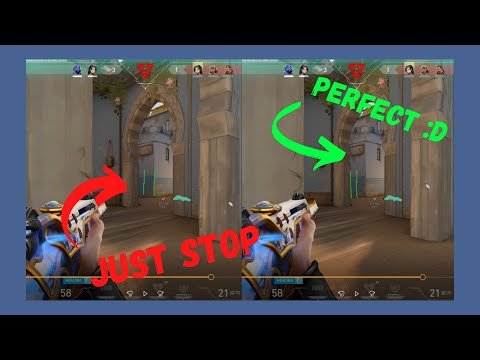
Watch: How to Improve Reaction Time in FPS Games
This walkthrough covers practical reaction drills for FPS players and how to use a reaction time test to track progress, which lines up with the plan above.
Sources and Research Notes
The benchmark ranges combine widely cited reaction datasets with our own tool guidance. Treat single numbers as guidance, not lab constants, because browser timing varies by device.
- KeyboardTester.click Reaction Time TestOur own visual reaction tool defines the test workflow and tier guidance used here: take the best of 5 clean trials and compare on the same gear.
- Human Benchmark: Reaction Time StatisticsPublic dataset of tens of millions of samples giving a ~273 ms in-browser median visual reaction time, used to anchor the average tier.
- reaction-time-test.io: Average Reaction TimeReference page listing average visual reaction time by age and by group (pro esports ~180 ms, competitive gamers ~200 ms, general population ~250 ms).
- 3D Aim Trainer: Improve Reaction Time for GamingPractical guide on daily reaction drills, warm-up, and the role of refresh rate and input lag in reaction speed.
- WPI: Player Response Times ResearchAcademic paper on how player response times scale with task complexity, supporting the perception-decision-motor breakdown.
Related Tools
Reaction Time Test
Click when the box turns green and measure your visual reaction time in milliseconds.
Auditory Reaction Time Test
Compare how fast you react to sound versus sight on the same device.
Mouse Accuracy Test
Check whether aim, not reaction, is the real bottleneck in shooters.
Refresh Rate Test
Confirm your monitor runs at its full Hz, which directly affects measured reaction.
Related Guides
What Is a Good Aim Trainer Score?
Why ms-per-target is a different number than reaction time, with its own tiers.
Do You React Faster to Sound or Sight?
Test both reaction types and avoid the Bluetooth latency trap.
APM Test Without the Spam
Reaction is one number, action rate is another. Measure honest actions per minute.
Latency Checker
Measure input delay so you know if your gear is adding milliseconds.
FPS Test
Check display smoothness, which changes how late a stimulus appears.
Frequently Asked Questions
- Is 200ms a good reaction time?Yes. Around 200 ms is a good gaming reaction time and sits at the competitive level. The average adult is closer to 250 ms on a simple visual test, so 200 ms means your reactions are faster than most. Pro FPS players push into the 150-190 ms range.
- What is the average human reaction time?On a simple visual reaction test the average adult is roughly 200-250 ms, with Human Benchmark reporting a median near 273 ms in-browser. It is fastest in your late teens and twenties and slows gradually with age.
- Why is my reaction time slower than Human Benchmark or pros?A browser test adds your display and input latency on top of pure nerve time. A 60Hz screen, a Bluetooth mouse, fatigue, or a busy browser can each add 10-40 ms. Test on your fastest wired setup, warm up first, and use the best of 5 trials for a fairer number.
- Can you actually train and improve your reaction time?Yes, modestly. Genetics set a floor, so you will not shave 80 ms off, but daily reaction drills, good sleep, a warm-up, and lower input lag improve consistency and a small amount of raw speed. Most people see a measurable change within two to four weeks.
- Does monitor refresh rate affect reaction time?Yes. On a 60Hz screen each frame is about 16.7 ms apart, so a stimulus can appear up to a frame late, while a 144Hz or 240Hz panel shaves milliseconds off both measured and real reaction. Confirm your monitor runs at full Hz with a refresh rate test.
- What reaction time do you need for competitive FPS?Aim for under 200 ms for ranked and semi-pro FPS, and 150-190 ms is typical at the pro level. That said, crosshair placement, pre-aim, and game sense often matter more than a few milliseconds of raw reaction.
Open the reaction time test, take the best of 5 trials, and write the number down. Then compare visual against audio on the auditory reaction time test, and if you play shooters, check whether your aim accuracy is the real bottleneck.