Fast Answer: Best One-Handed Gaming Keyboard
The best one-handed gaming keyboard overall is the Azeron Cyborg II if you want a serious ergonomic keypad with many mappable inputs and a 360 analog thumbstick. The safer mainstream choice is the Razer Tartarus Pro, the best cheap mechanical pick is the Redragon K585 DITI, and the best cheap wireless option is the Redragon K585 PRO Wireless.
For MMO and Final Fantasy XIV players, the HORI TAC F14 deserves a look because it is built around assignable keys, saved profiles, and an adjustable analog stick. For macro-heavy work plus gaming, the Koolertron 48-key pad is more useful than a typical gaming keypad.
Prices, product images, specs, and buying links were checked on May 26, 2026. Availability can change quickly, especially for Azeron color/configuration pages.
Compare current Razer keypad pricingUse this official Razer affiliate link after you have decided whether a one-handed keypad fits your game, desk layout, and software workflow.
Affiliate disclosure: this Razer link may earn KeyboardTester.click a commission at no extra cost to you. It does not mean this article is sponsored by Razer or that Razer controls our recommendations. See our disclaimer.
A one-handed gaming keyboard is not just a small keyboard. The best models are gaming keypads: left-hand command stations with WASD zones, macro keys, thumb controls, palm rests, analog sticks, profile software, and sometimes unusual ergonomic towers. They are popular with MMO players, FPS players who want a clean movement cluster, laptop gamers, streamers, and people who want more desk space beside the mouse.
This guide covers one-handed gaming keyboards and gaming keypads, not medical one-hand typing boards. The article also avoids old nostalgia picks unless they still have a clean purchase path. Discontinued keypads such as Logitech G13 and Razer Orbweaver are mentioned later, but they are not ranked as normal 2026 buys.
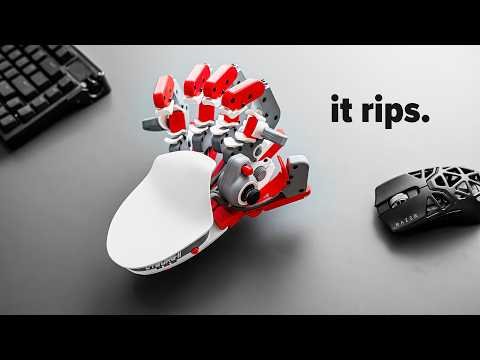
How I Ranked These Keypads
I ranked these by buyer usefulness, not by price alone. A good one-handed gaming keyboard needs a clear reason to exist: better ergonomics, useful macros, a real thumb control, console compatibility, wireless placement, or enough programmable keys to replace part of a full keyboard.
The research also checked real buyer language around one handed gaming keyboard with joystick, gaming keypad with analog stick, one handed mechanical keyboard, left hand gaming keyboard, best gaming keypad for MMO, and comparison searches such as Razer Tartarus vs Azeron. Those searches show that readers are not only asking “which is best?” They are asking whether a thumbstick is really analog, whether the software is a problem, whether cheap models are usable, and whether older favorites are still worth buying.
Research note: I kept products with current official or vendor buying pages and left out discontinued nostalgia picks from the main ranking. Prices are included as checked-price references, not permanent guarantees.
Start Here: Which One Should You Buy?
Best overall PC pick
Choose Azeron Cyborg II if you want the most serious ergonomic keypad and are willing to spend time tuning profiles.
Best safer mainstream pick
Choose Razer Tartarus Pro if you want a known gaming brand, Razer Synapse support, and an easier buying path.
Best cheap mechanical pick
Choose Redragon K585 DITI if you mainly need a compact WASD board with macros and do not need a thumbstick.
Best wireless budget pick
Choose Redragon K585 PRO Wireless if desk placement matters and you are willing to test wired versus wireless stability.
Best console-focused pick
Choose HORI TAC Mechanical only if PS5/PS4 keyboard-and-mouse compatibility is part of your actual setup.
Best macro workpad
Choose Koolertron 48-key if you want a programmable command pad for games plus editing, design, OBS, or repetitive work.
Quick Comparison: Top 9 One-Handed Gaming Keyboards
| Rank | Keyboard | Checked price | Best reason to buy | Main caution |
|---|---|---|---|---|
| 1 | Azeron Cyborg II | $292.00 on the official Beast Cyborg II page | Best ergonomic one-handed gaming keypad overall | Buyers who want a normal flat keyboard feel or a low setup-learning curve. |
| 2 | Azeron Keyzen | $216.00 on the official Blue Keyzen page | Best mechanical-switch Azeron-style keypad | Users who need a cheap keypad or who dislike custom-profile software. |
| 3 | Razer Tartarus Pro | US$129.99 on the official Razer page when checked | Best mainstream analog optical gaming keypad | Users who want true physical mechanical switch feel or dislike Razer Synapse. |
| 4 | Razer Tartarus V2 | US$79.99 on the official Razer page when checked | Best mainstream value keypad from a major gaming brand | Mechanical switch purists and users buying specifically for analog behavior. |
| 5 | Redragon K585 DITI | $36.99 on Redragonshop when checked | Best budget one-handed mechanical keyboard | Players who specifically need analog movement or premium software polish. |
| 6 | Redragon K585 PRO Wireless | $49.99 on Redragonshop when checked | Best cheap wireless one-handed gaming keyboard | Competitive players who want the simplest wired latency path or users who hate battery management. |
| 7 | HORI Tactical Assault Commander Mechanical Keypad | $129.99 on HORI USA when checked | Best console-focused one-handed keypad for PS5, PS4, and PC | PC-only buyers who can get a cheaper Redragon or a more ergonomic Azeron instead. |
| 8 | HORI Tactical Assault Commander F14 Final Fantasy XIV Black Edition | $139.99 on HORI USA when checked | Best MMO-specialist keypad for Final Fantasy XIV players | Buyers who demand mechanical switches or a general-purpose FPS keypad. |
| 9 | Koolertron 48-Key Programmable Mechanical Keypad | $95.99 on Koolertron when checked | Best macro-heavy one-handed keyboard for mixed gaming and work | Pure thumbstick gaming or players who want a polished gaming-driver ecosystem. |
Top 9 One-Handed Gaming Keyboard Picks
1. Azeron Cyborg II – Best ergonomic one-handed gaming keypad overall
Best for: MMO, RPG, survival, action games, and players who want an analog thumbstick without giving up many keyboard commands. Skip if: Buyers who want a normal flat keyboard feel or a low setup-learning curve.
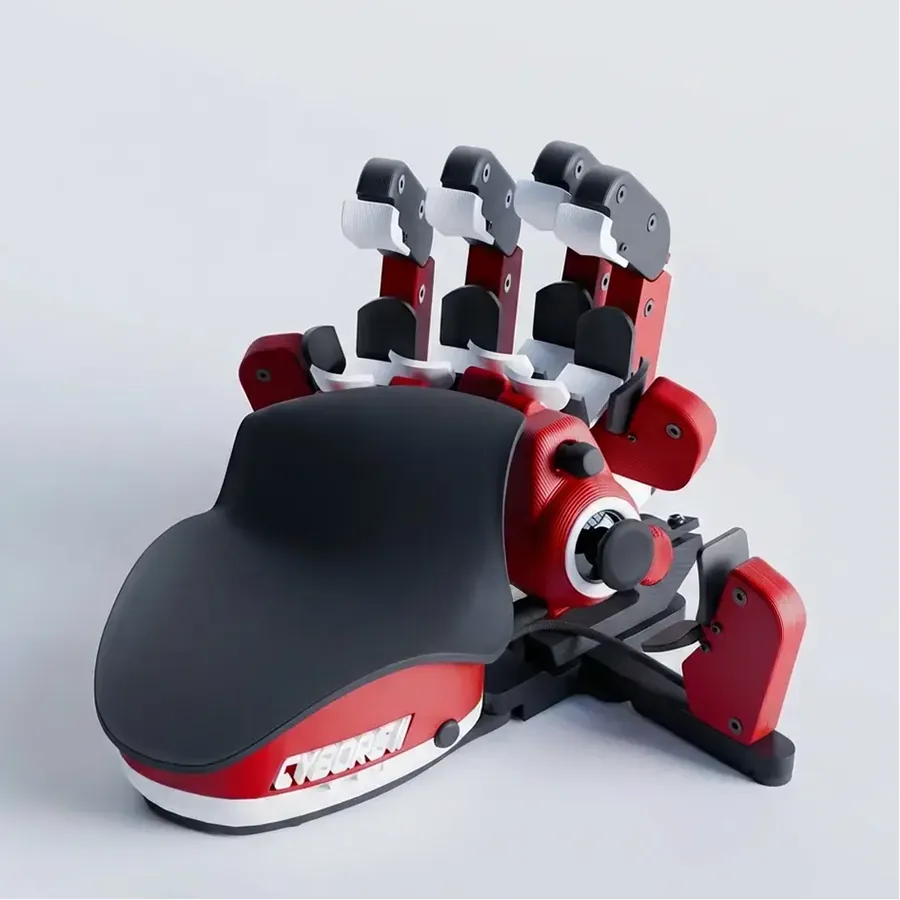
Product image source: Azeron official product media.
$292.00 on the official Beast Cyborg II page
Omron mouse-style switches on finger towers
360 analog thumbstick
USB-C wired PC keypad
The Cyborg II is less like a sliced keyboard and more like a custom controller for the left hand. The advantage is reach: each finger gets raised towers, so movement, skills, inventory keys, push-to-talk, map, crouch, and interact commands can live under short finger travel. The tradeoff is learning time. It needs profile tuning, hand-fit adjustment, and game-by-game mapping before it feels natural.
Verified details:
- Official page describes a 360 analog thumbstick, Omron switches, customizable RGB, and 30 inputs.
- Azeron sells left-hand and right-hand orientation options through its own store.
- The product is a better fit for players who will spend time mapping profiles than for people who want plug-and-play WASD only.
2. Azeron Keyzen – Best mechanical-switch Azeron-style keypad
Best for: Gamers who want Azeron ergonomics but still prefer a more keyboard-like mechanical switch press. Skip if: Users who need a cheap keypad or who dislike custom-profile software.
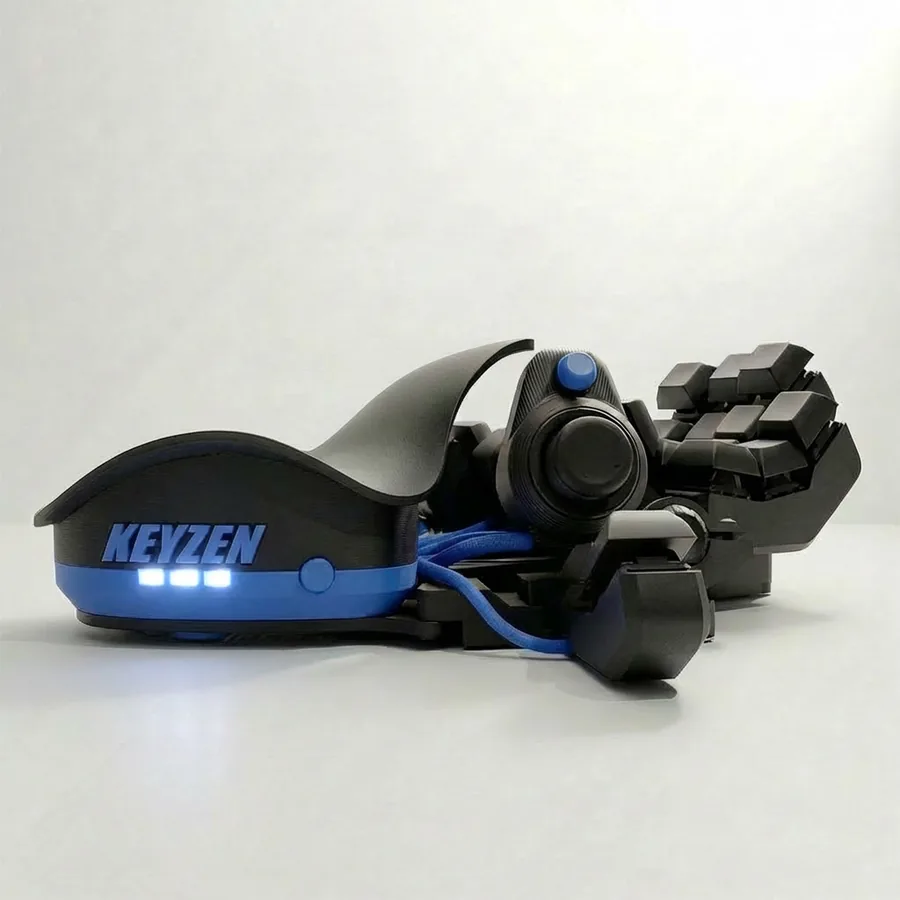
Product image source: Azeron official product media.
$216.00 on the official Blue Keyzen page
Mechanical keyboard switches, with color and switch availability depending on configuration
Hall-effect thumbstick
USB-C wired PC keypad
Keyzen fills the gap between a Razer-style keypad and the full Cyborg tower design. It keeps the one-hand ergonomic idea, but the key presses feel closer to a keyboard than the Cyborg finger towers. That makes it easier to recommend to players who already like mechanical switches but want a thumbstick and a compact command pad.
Verified details:
- Azeron lists the Keyzen as an ergonomic keypad with mechanical switches.
- The official product page showed a $216.00 price when checked.
- Availability can vary by color, so the exact buying path should be checked before publishing a price promise.
3. Razer Tartarus Pro – Best mainstream analog optical gaming keypad
Best for: Players who want a known brand, Synapse support, analog optical switches, and a familiar keypad shape. Skip if: Users who want true physical mechanical switch feel or dislike Razer Synapse.
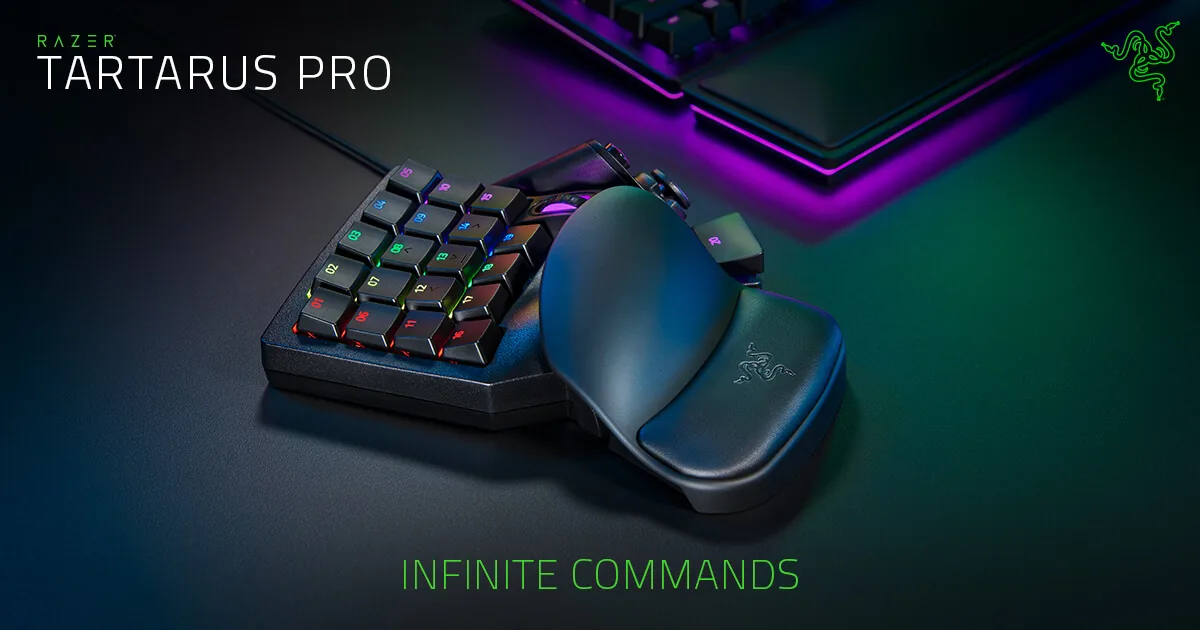
Product image source: Razer official product media.
US$129.99 on the official Razer page when checked
Razer Analog Optical switches
8-way directional thumbpad
Wired USB PC keypad
The Tartarus Pro is the safest mainstream pick because it has broad retail availability and a long support history. The analog switch feature is the reason to pick it over the Tartarus V2, but it is not magic by itself. In many games, it behaves like normal key input unless the profile and game bindings are built around analog or dual-function behavior.
Verified details:
- Razer describes the Tartarus Pro around Analog Optical switches.
- The page media and price were retrieved from Razer directly when checked.
- The thumb control is a directional pad, not the same physical experience as Azeron-style analog stick movement.
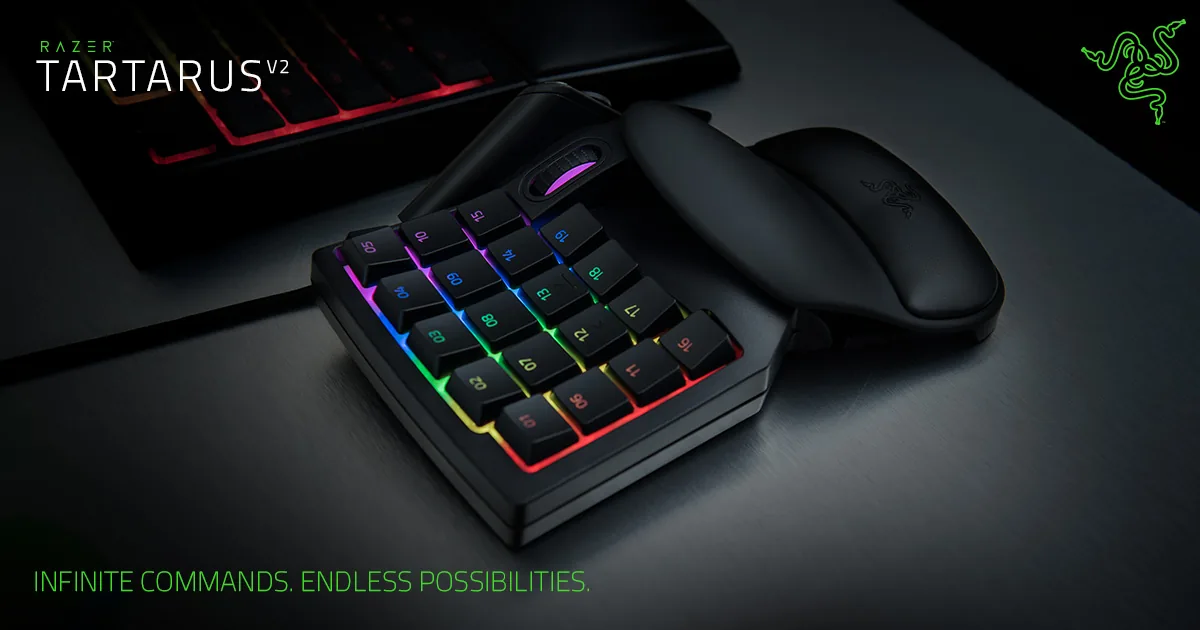
4. Razer Tartarus V2 – Best mainstream value keypad from a major gaming brand
Best for: Players who want the Razer keypad layout for less money and do not need analog optical switches. Skip if: Mechanical switch purists and users buying specifically for analog behavior.
Product image source: Razer official product media.
US$79.99 on the official Razer page when checked
Razer Mecha-Membrane switches
8-way directional thumbpad
Wired USB PC keypad
The Tartarus V2 is still relevant because many people buying a one-handed keyboard only need fixed commands, macros, and a comfortable palm rest. If you mostly play MMOs, ARPGs, builders, or casual shooters, the V2 can be more sensible than paying extra for analog features you will not map.
Verified details:
- Razer positions the V2 around Mecha-Membrane switches and Chroma lighting.
- The official product page showed US$79.99 when checked.
- It shares the broad Tartarus layout idea but does not use the Tartarus Pro analog optical switch design.
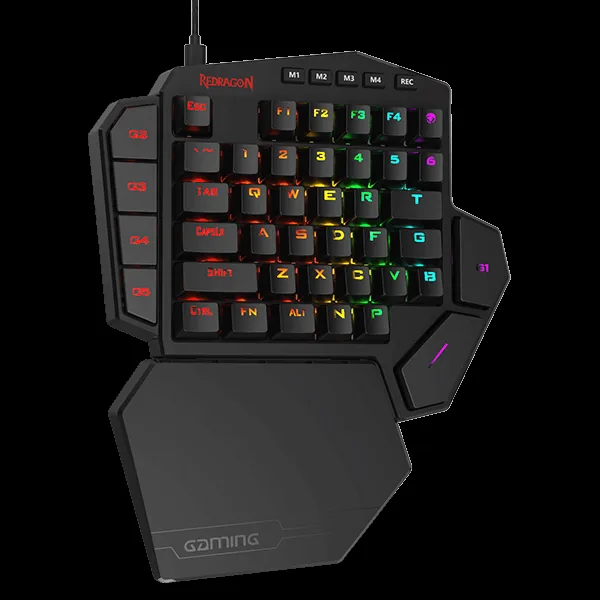
5. Redragon K585 DITI – Best budget one-handed mechanical keyboard
Best for: Budget PC players who want a real mechanical one-hand layout for WASD, number-row commands, and macros. Skip if: Players who specifically need analog movement or premium software polish.
Product image source: Redragon official product media.
$36.99 on Redragonshop when checked
Mechanical switches, commonly sold with Blue switch option on Redragon pages
No analog thumbstick
Wired USB keypad
The K585 DITI is the practical cheap pick because it looks and behaves more like a small mechanical keyboard than a controller. That is useful for people coming from a normal keyboard: WASD is familiar, the number row is present, and macro keys sit along the side. The weak point is that it does not solve thumbstick movement or deep ergonomic reach like Azeron.
Verified details:
- Redragonshop page metadata described the product as a one-handed keyboard with seven onboard macro keys.
- The official product page showed $36.99 when checked.
- The page metadata image and price came from Redragonshop, not a third-party roundup.
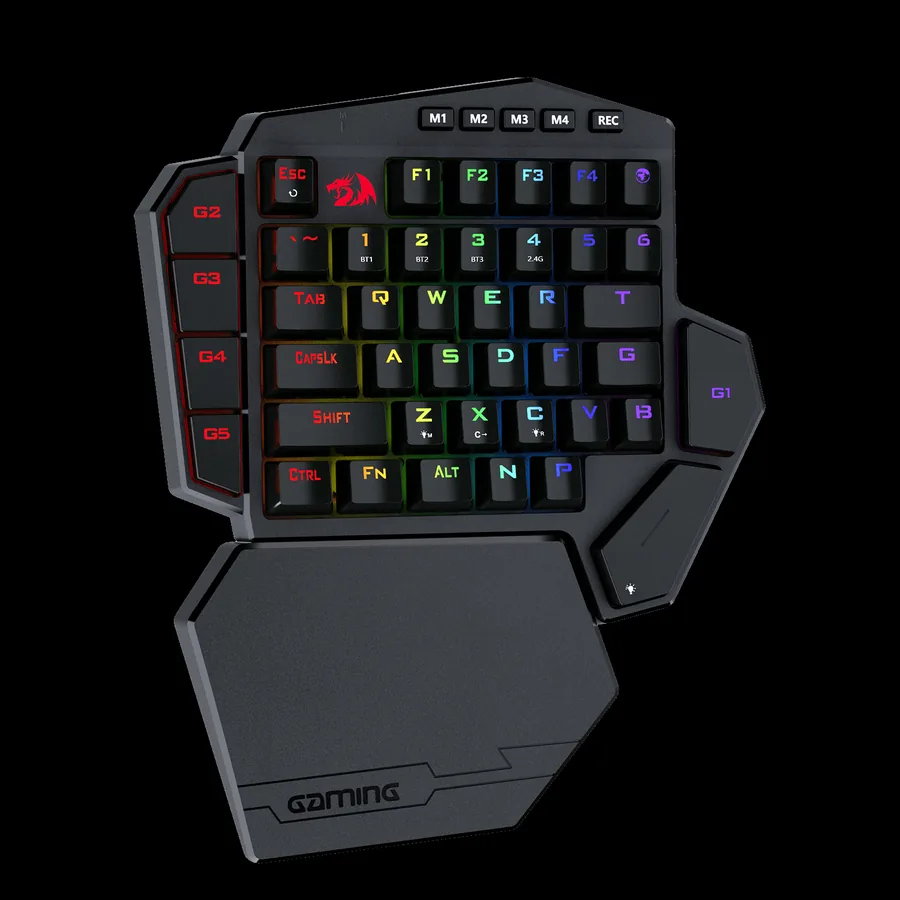
6. Redragon K585 PRO Wireless – Best cheap wireless one-handed gaming keyboard
Best for: Low-cost desk setups where cable-free placement matters more than a thumbstick. Skip if: Competitive players who want the simplest wired latency path or users who hate battery management.
Product image source: Redragon official product media.
$49.99 on Redragonshop when checked
Mechanical switch options, page image used the blue switch variant
No analog thumbstick
2.4 GHz wireless plus wired mode according to Redragon product copy
The K585 PRO matters because one-handed keyboards are often used beside a full keyboard, laptop, steering wheel, or drawing tablet. Wireless placement helps. The buying caution is simple: for serious competitive play, test it in both wireless and wired mode before trusting it. Wireless convenience is only worth it if your actual game input feels stable.
Verified details:
- Redragon page copy described 2.4 GHz wireless data transmission and a built-in 3000 mAh battery.
- The official product page showed $49.99 when checked.
- Redragon described 15-20 hours continuous playtime with RGB backlight on in the page metadata captured during research.
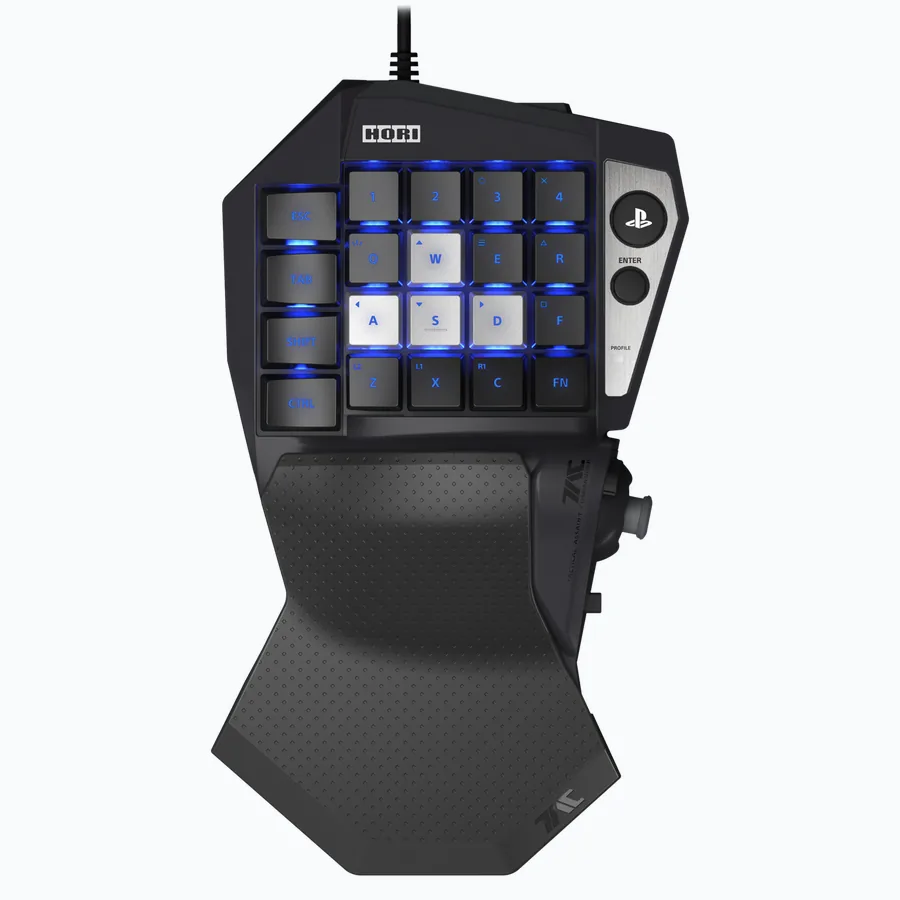
7. HORI Tactical Assault Commander Mechanical Keypad – Best console-focused one-handed keypad for PS5, PS4, and PC
Best for: Console players who want PC-style mouse and keyboard control in supported PS5/PS4 games. Skip if: PC-only buyers who can get a cheaper Redragon or a more ergonomic Azeron instead.
Product image source: HORI USA official product media.
$129.99 on HORI USA when checked
Mechanical keypad according to HORI product name and copy
Console-style directional controls, not an Azeron-style tower layout
PlayStation 5, PlayStation 4, and Windows 11/10 support listed by HORI
The HORI TAC Mechanical is the specialist pick. It is not trying to be the best all-purpose PC keypad. Its reason to exist is compatibility with keyboard-and-mouse-enabled PlayStation games while still working on Windows. Read the compatibility wording carefully: HORI says a mouse is required and not included, and supported games need keyboard and mouse mode enabled.
Verified details:
- HORI USA page listed PlayStation 5, PlayStation 4, and Windows 11/10 in the product title.
- HORI page copy mentioned up to six profiles per console through a companion app.
- HORI page copy says the mouse is required and not included for keyboard-and-mouse mode.
8. HORI Tactical Assault Commander F14 Final Fantasy XIV Black Edition – Best MMO-specialist keypad for Final Fantasy XIV players
Best for: Final Fantasy XIV players and MMO users who want saved profiles and an adjustable analog stick. Skip if: Buyers who demand mechanical switches or a general-purpose FPS keypad.
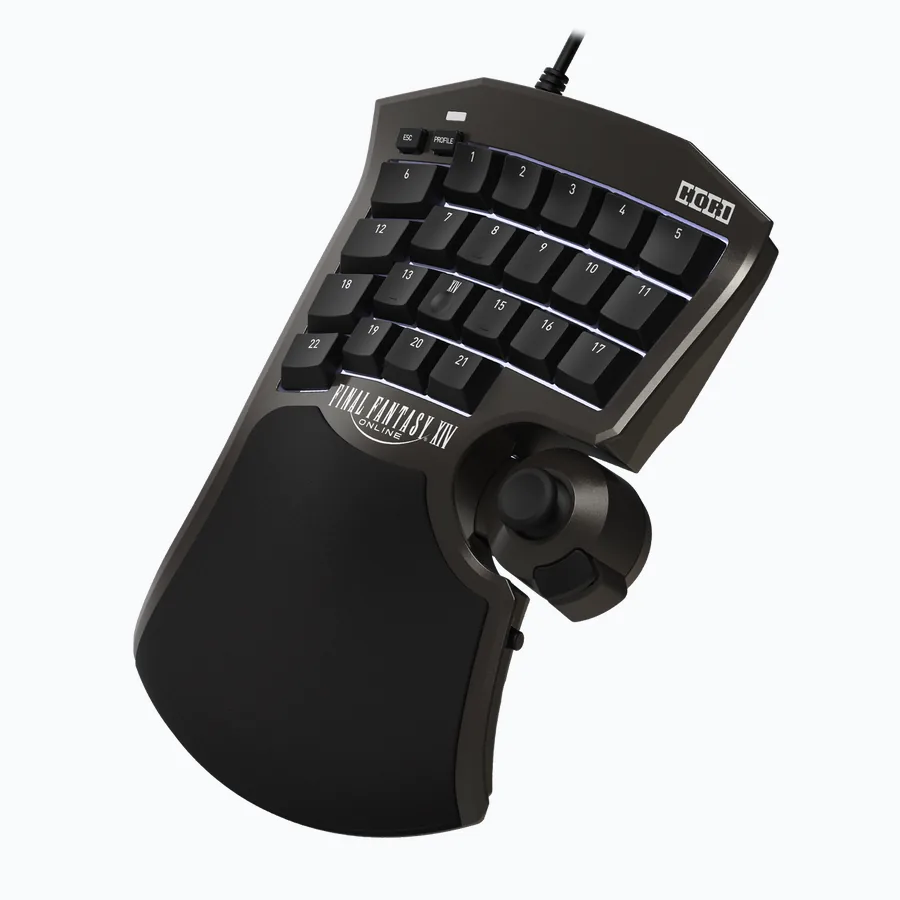
Product image source: HORI USA official product media.
$139.99 on HORI USA when checked
Non-mechanical membrane keypad according to HORI copy
Adjustable analog stick position
Windows PC focus, with PS5 and PS4 support notes from HORI
The F14 is worth including because MMO players do not always need the same hardware as FPS players. Its official copy is clear: it is made around Final Fantasy XIV workflow, 21 assignable keys, profile saving, and analog-stick comfort. The big caveat is equally clear: HORI says this F14 version uses a non-mechanical membrane keypad.
Verified details:
- HORI USA page says users can assign in-game functions to 21 keys.
- HORI USA page says users can save up to eight profiles.
- HORI USA specifically notes that the F14 is a non-mechanical membrane keypad.
9. Koolertron 48-Key Programmable Mechanical Keypad – Best macro-heavy one-handed keyboard for mixed gaming and work
Best for: Users who want a large programmable pad for gaming, editing, design shortcuts, streaming, or cashier workflows. Skip if: Pure thumbstick gaming or players who want a polished gaming-driver ecosystem.
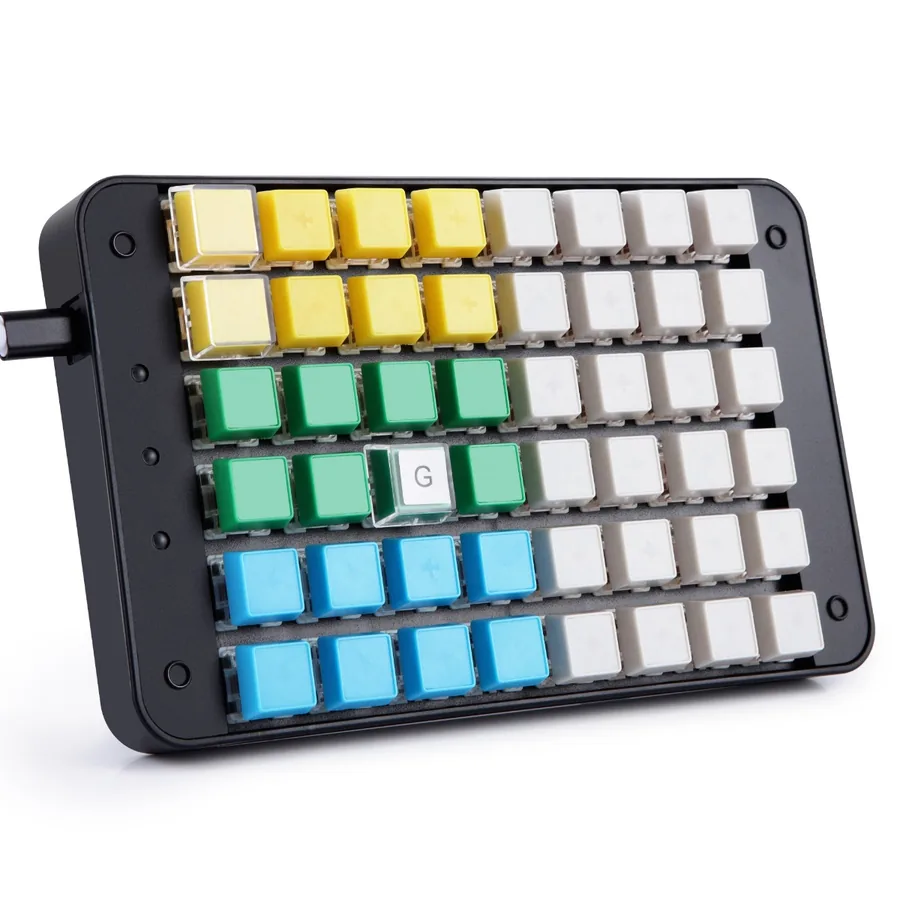
Product image source: Koolertron official product media.
$95.99 on Koolertron when checked
Mechanical switch keypad according to Koolertron product title
No analog thumbstick
USB mini keypad
Koolertron is the odd pick in this list because it is not only for gaming. It is closer to a macro workpad with enough keys to become a left-hand command station. That can be powerful for MMOs, simulators, editing, CAD, Photoshop, OBS scenes, and repetitive office tasks. The catch is setup friction: buy it only if you are comfortable configuring layers and macros.
Verified details:
- Koolertron product title describes a 48-key fully programmable mini keypad.
- Koolertron title/copy highlights 32 macro keys and mixed use for gamers, cashiers, designers, and video editors.
- The official Koolertron page showed $95.99 when checked.
New in 2026: Hall Effect Half Keyboards and Keypads (August Update)
Update added August 27, 2026. The Top 9 ranking above is unchanged from the original May 26 check. Since then, the biggest shift in the one-handed market has been Hall effect magnetic switches arriving at budget prices. The boards below are true half keyboards – the left side of a standard QWERTY layout, not a sculpted keypad – so WASD, Shift, Ctrl, and the number row sit exactly where your hand already expects them, and rapid trigger with adjustable actuation now starts under $60. Prices and stock were checked on August 27, 2026.
| Keyboard | Checked price | Keys | Switch | Polling | Palm rest | Launched |
|---|---|---|---|---|---|---|
| Keychron C0 HE 8K | $59.99 | 35 | Keychron Ultra-fast Lime magnetic | 8,000 Hz wired | Built-in silicone palm rest | March 2026 |
| Epomaker HE30 | $49.99 | 36 | Epomaker Purple magnetic | 8,000 Hz wired | None (detachable wrist strap for carrying) | January 2026 |
| Lemokey L0 HE 8K | $135.99 (was $159.99) | 35 + knob | Lemokey Ultra-fast Lime magnetic | 8,000 Hz wired | None | August 2025 |
New: Keychron C0 HE 8K – Best new budget Hall effect half keyboard
Best for: PC players who want a real half keyboard with rapid trigger, per-key actuation, and a built-in palm rest for the price of a budget keypad. Skip if: Buyers who need a thumbstick, wireless, or the freedom to swap in other magnetic switches.
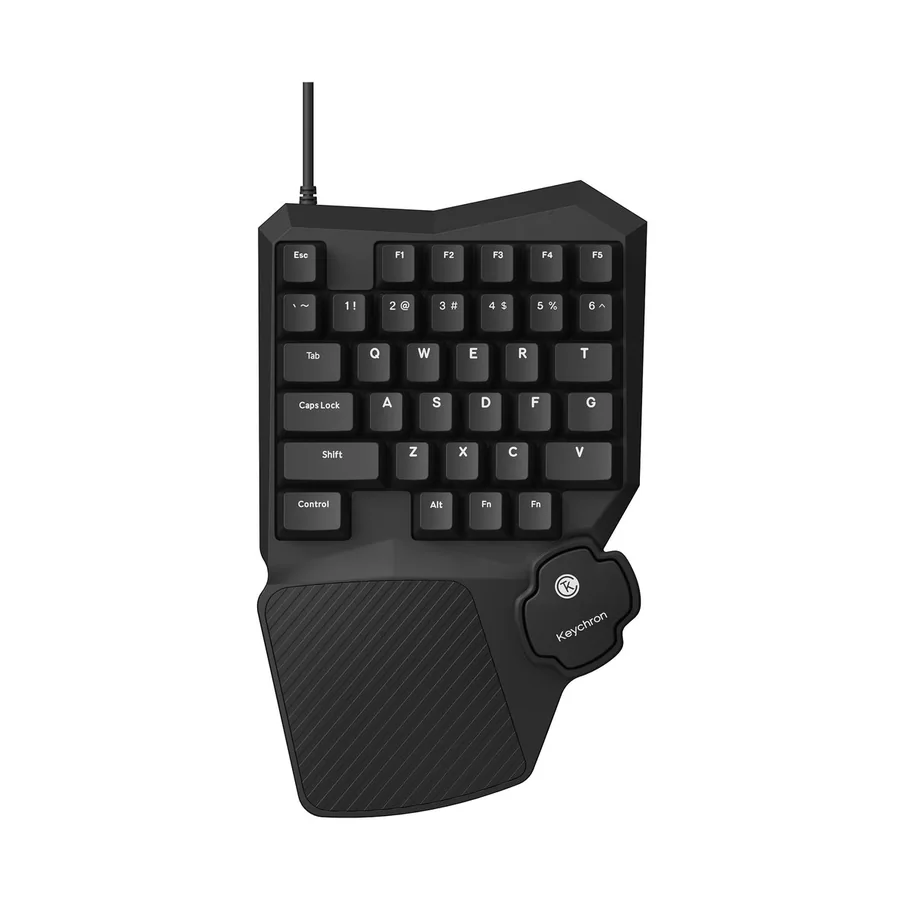
Product image source: Keychron official product media.
$59.99 on the official Keychron page when checked on August 27, 2026
Keychron Ultra-fast Lime magnetic (Hall effect) switches with adjustable actuation
No thumbstick; angled thumb spacebar
Wired USB-C, 8,000 Hz polling
The C0 HE 8K is the board this guide was missing in May. It keeps the left half of a normal layout – Esc, F1 to F5, the number row through 6, QWERT, ASDFG, ZXCV, and the modifiers – and puts a Hall effect magnetic switch under every key, so per-key actuation depth, rapid trigger, and last-input priority land on a $59.99 device with nothing to relearn. The palm rest is molded into the case and the angled spacebar is shaped for a resting thumb. What you give up against the ranked keypads above is a real thumbstick and any extra macro columns; what you give up against a full Hall effect keyboard is the right half, which is the point if you want mouse room. Mind the switch lock-in: Keychron says only its own Lime magnetic switch fits.
Verified details:
- Keychron’s official page describes the C0 HE 8K as a wired one-handed magnetic switch gaming keypad with an 8,000 Hz polling rate, shine-through keycaps, and a built-in silicone palm rest.
- Keychron states the board is compatible only with the Keychron Ultra-fast Lime Magnetic Switch and does not support Gateron Magnetic Jade or KS-20 switches.
- Launch coverage (KitGuru, March 17, 2026) lists 35 keys, a 25 g Lime switch with 3.35 mm total travel, and Keychron Launcher web configuration for rapid trigger, DKS, Mod-Tap, SOCD, and actuation point.
- The official page showed $59.99 with the product in stock when checked; Keychron notes discount codes do not apply to the C0 HE 8K.
New: Epomaker HE30 – Cheapest new Hall effect one-handed keypad with a wrist strap
Best for: FPS players who want the smallest left-hand pad possible for big low-DPI mouse swipes, plus something that clips to a bag for LAN nights. Skip if: Anyone who wants a palm rest, a thumbstick, or a knob; the strap is for carrying, not comfort.
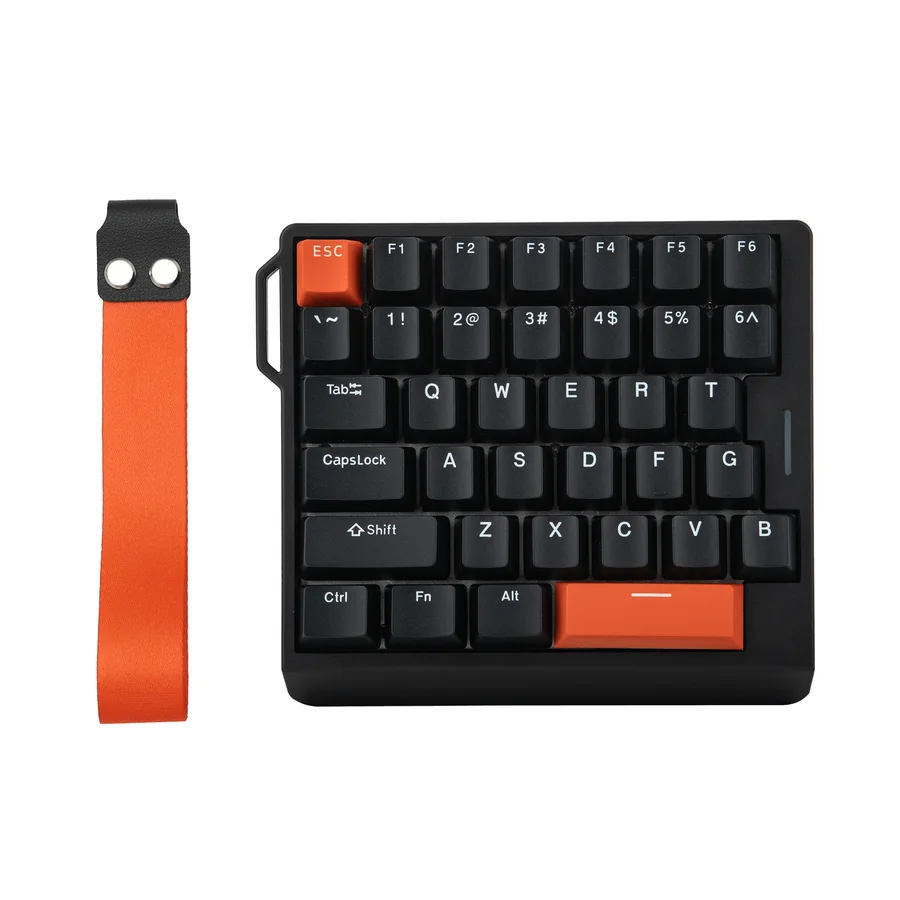
Product image source: Epomaker official product media.
$49.99 on the official Epomaker page when checked on August 27, 2026
Epomaker Purple magnetic switches, 0.1 mm to 3.4 mm adjustable trigger
No thumbstick
Wired, 8,000 Hz polling
The HE30 pushes the same idea toward the minimum: 36 keys in a 30 percent footprint, a detachable wrist strap so it clips to a bag, and side light strips you can control separately from the per-key RGB. Epomaker pitches the adjustable trigger the way premium Hall effect boards do – movement keys at a 0.1 mm hair trigger, abilities set deeper to avoid accidental presses – and adds Dynamic Keystroke for up to four actions per key by press depth, Mod-Tap, Snap Key SOCD handling, and web-based remapping. It sits behind the C0 HE here for one reason the spec sheet does not show: there is no palm rest, so plan on a separate wrist rest for long sessions. At $49.99 it is still the cheapest way to try rapid trigger on a one-handed board from a brand with a documented product page.
Verified details:
- Epomaker’s official page lists 36 programmable keys, PBT keycaps, web-based remapping and macros, and a Purple magnetic switch with a 0.1 mm to 3.4 mm adjustable trigger.
- The official page claims 8,000 Hz polling and 0.125 ms latency, plus Dynamic Keystroke (DKS), Mod-Tap, and Snap Key (SOCD).
- Both colorways (Black Orange and White Purple) showed $49.99 and in stock when checked; launch coverage in February 2026 quoted $44.99, so expect the price to move.
New: Lemokey L0 HE 8K – Best aluminum Hall effect half keyboard with a knob
Best for: Players who want the C0 HE layout in a full-metal case with double-shot PBT keycaps, internal foam, and a remappable volume or scroll knob. Skip if: Value buyers – it is the same 35-key idea at more than double the C0 HE price, with no palm rest and no wireless.
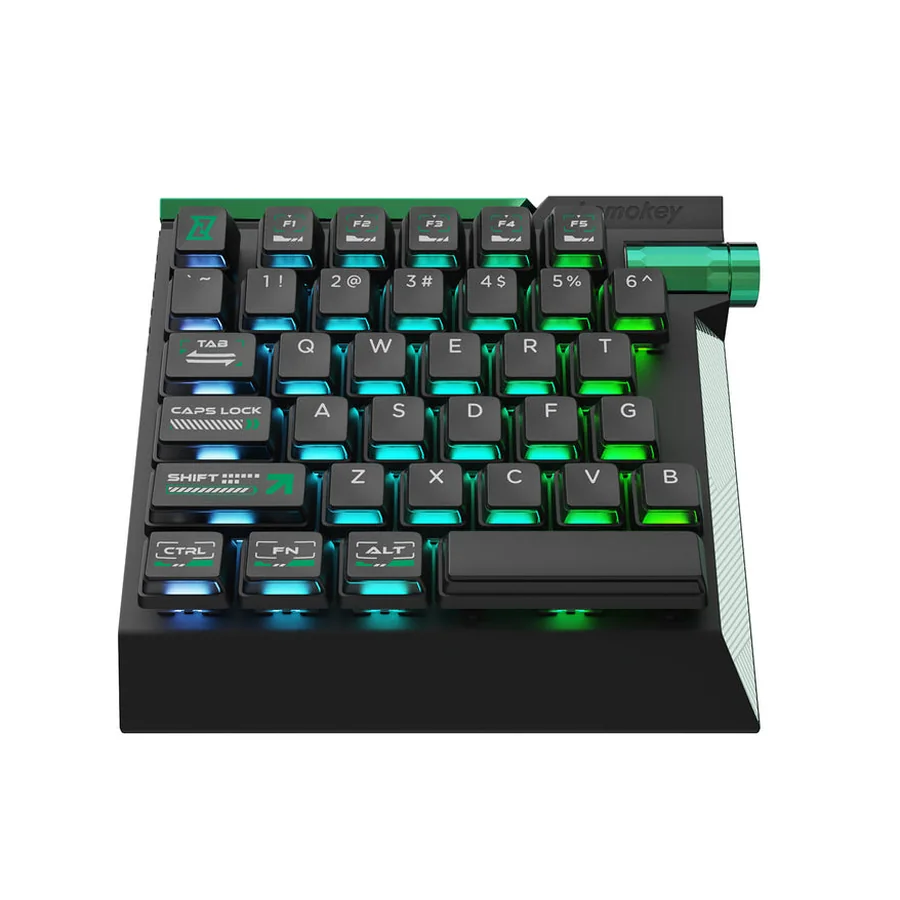
Product image source: Keychron / Lemokey official product media.
$135.99 on the official Keychron/Lemokey page when checked on August 27, 2026 (launched at $159.99)
Lemokey Ultra-fast Lime magnetic (Hall effect) switches with adjustable actuation
No thumbstick
Wired USB-C, 8,000 Hz polling
The L0 HE is the premium version of the same layout from Keychron’s gaming brand, Lemokey. It shares the 35-key left-half design and the Ultra-fast Lime magnetic switch family with the C0 HE, but moves them into a full aluminum body with internal foam, double-shot PBT keycaps, and a remappable metal knob. It launched at $159.99 and was criticized at that price: PCWorld’s review called it essentially half a gaming keyboard and marked it down for the missing wrist rest, no wireless, and no per-game profiles. At the $135.99 it showed when checked it is a fairer deal, but the C0 HE delivers the same switch technology and polling rate for $59.99. Buy the L0 HE for the case and the knob, not for speed.
Verified details:
- The official page says the fully assembled version includes the PCB, case, foams, Mac and Windows keycaps, and adjustable-actuation Lemokey Ultra-fast Lime Magnetic Switches, and that no other magnetic switch is supported.
- The official page showed $135.99 against a $159.99 compare-at price, in stock, when checked.
- PCWorld (September 2, 2025) praised the aluminum build, PBT keycaps, knob, and browser-based programming, and criticized the $160 launch price, the missing wrist rest, the lack of wireless, and the inability to save per-game profiles.
Also new: Ajazz AK029 – a 29-key magnetic keypad at $39.99
The Ajazz AK029 is the cheapest of the new magnetic-switch pads: $39.99 on the official Ajazz store when checked on August 27, 2026 (marked down from $46.98), with 29 keys, hot-swappable switches, a detachable USB-C cable, RGB, and a web driver. It is not ranked here because the official product page does not document its performance specs – the 8,000 Hz polling, 0.01 mm rapid trigger, and SOCD/DKS claims appear only on retailer listings. Treat it as a budget experiment, and if you buy one, run the keyboard polling rate test and press every key in the keyboard tester before the return window closes.
September 22 update: a new Tartarus has arrived
Razer announced the Tartarus V2 Pro on September 17, 2026. It adds a TMR analog thumbstick and a different control layout; our V2 Pro versus original Pro upgrade comparison explains the binding changes to check. The Top 9 above remains the earlier published ranking, not a ranking that evaluates this new model. The WASD-only Hall Effect boards in this section remain a different choice from an analog-thumbstick keypad.
Testing note for rapid trigger boards: set actuation and Rapid Trigger in the manufacturer’s supported software, then check received presses, releases and combinations in the browser. Browser events do not measure physical key travel or certify an 8,000 Hz USB polling claim. The Rapid Trigger settings guide explains the settings and their limits.
How to Choose a One-Handed Gaming Keyboard
Choose analog thumbstick if movement matters
Azeron and some HORI models make sense when thumb movement is part of the reason you want a keypad. If you only want WASD, a cheaper mechanical model can be enough.
Choose mechanical if you want keyboard feel
Redragon, Koolertron, and Keyzen are stronger choices for people who want familiar switch presses. Razer Tartarus V2 uses Mecha-Membrane, and HORI F14 is membrane.
Check software before buying
Macro and profile quality matters more than RGB. Check whether the keypad stores profiles onboard, whether the software works on your OS, and whether macros run without the app open.
Do not confuse a D-pad with an analog stick
Some keypads advertise a thumbpad, but that does not always mean smooth analog movement. For joystick-style control, look for analog stick or Hall-effect thumbstick wording.
How to Test a One-Handed Gaming Keyboard After Buying
Do this before the return window closes. A one-handed keypad can look fine in photos but still fail because one switch repeats, the software does not save profiles, or the thumbstick dead zone feels wrong in your game.
- Open the KeyboardTester.click keyboard tester and press every key that should send a normal keyboard event.
- Use the keyboard ghosting test for combinations such as W + A + Shift + Space, or your MMO movement plus skill keys.
- Check repeated inputs with the key repeat rate test if one key fires too fast when held.
- Use the keyboard polling rate test if the product advertises high polling or a special wired mode.
- Test thumbsticks in the maker software, Windows controller settings, or a gamepad tester if the stick does not emit keyboard events.
- Save one profile, unplug the keypad, plug it back in, and confirm whether the layout survived without re-opening the software.
Important browser limit: a website can only see keys that arrive as browser keyboard events. Vendor profile buttons, RGB controls, Fn layers, some macro keys, and analog thumbsticks may not appear in an online keyboard tester even when the hardware is working.
Related Guides and Tests
If you are comparing one-handed keypads with a full gaming keyboard, these related guides help separate marketing claims from real input behavior:
- Keyboard switch types for gaming – useful when comparing mechanical, membrane, optical, and Hall Effect feel.
- Rapid Trigger keyboard settings for CS2 and Valorant – useful if you are choosing between keypad macros and full keyboard movement tuning.
- Keyboard ghosting and anti-ghosting explained – useful before trusting a compact keypad for multi-key game combos.
- V4N4G0N 45% custom mechanical keyboard guide – what an ultra-compact from-parts build looks like if half-keyboards get you curious about the custom scene.
- Best mechanical keyboards for gaming – useful if a full keyboard may fit your setup better than a one-handed keypad.
Older One-Handed Keyboards I Would Not Recommend as Normal New Buys
Some older keypads are still loved, but they are weak recommendations for a fresh 2026 buyer because the purchase path or support state is messy.
- Logitech G13: still has a fan base, but it is discontinued and usually means used-market pricing, old software, and uncertain condition.
- Razer Orbweaver and Razer Nostromo: historically important, but the current Razer Tartarus line is the cleaner buying path.
- GameSir VX / VX2 listings: some pages and marketplace listings still exist, but I did not find a clean current official product path strong enough to rank it above the products in this list.
- Unknown Amazon-only clones: they can be cheap, but weak documentation, copied photos, and unclear software links make them risky unless the return policy is excellent.
Sources and Product Pages Checked
This guide uses official product pages first, then reviewer/community sources only for context. Prices were checked on May 26, 2026 and should be treated as current-at-check references, not permanent price promises.
- Azeron Cyborg II official product page
- Azeron Keyzen official product page
- Razer Tartarus Pro official product page
- Razer Tartarus V2 official product page
- Redragon K585 DITI official product page
- Redragon K585 PRO Wireless official product page
- HORI TAC Mechanical official product page
- HORI TAC F14 official product page
- Koolertron 48-key programmable keypad official product page
- Keychron C0 HE 8K official product page (added August 27, 2026)
- Epomaker HE30 official product page (added August 27, 2026)
- Lemokey L0 HE 8K official product page (added August 27, 2026)
- Ajazz AK029 official store page (added August 27, 2026)
- KitGuru: Keychron C0 HE 8K launch coverage (March 17, 2026)
- KitGuru: Epomaker HE30 launch coverage (February 17, 2026)
- PCWorld: Lemokey L0 HE review (September 2, 2025)
FAQ: One-Handed Gaming Keyboards
What is the best one-handed gaming keyboard overall in 2026?
For most serious PC gamers who want a true ergonomic keypad, the Azeron Cyborg II is the strongest overall pick because it combines many mappable inputs with a 360 analog thumbstick. For a mainstream brand with easier retail availability, the Razer Tartarus Pro is the safer alternative.
Is a one-handed gaming keyboard better than a normal keyboard?
It can be better for games where you want a compact command pad, macros, a palm rest, or thumb movement. It is not automatically better for typing, general productivity, or games where a full keyboard layout is already comfortable.
Should I buy a one-handed gaming keyboard with a joystick?
Choose a joystick or analog thumbstick if you play MMOs, RPGs, builders, simulators, or games where controller-style movement helps. For competitive FPS, many players still prefer digital WASD because it is predictable and easy to test.
Are cheap one-handed mechanical keyboards good for gaming?
Budget models such as the Redragon K585 can be good if you mainly need WASD, number keys, and macro keys. They usually do not match the ergonomics, analog movement, or software depth of premium keypads.
Can a browser keyboard tester detect every macro key and thumbstick?
No. Browser keyboard tests can detect keys that the keypad sends as standard keyboard events. Vendor-only macro buttons, profile switches, RGB controls, and analog sticks may need the maker software, Windows game controller settings, or a gamepad tester instead.
What one-handed gaming keyboards should I avoid buying new?
Be careful with discontinued products such as Logitech G13, Razer Orbweaver, Razer Nostromo, and older GameSir VX listings unless you understand the used-market risk. A clean official product page, current driver support, and return window matter more than nostalgia.
Final Buying Advice
Buy the keypad that matches your actual game and setup, not the one with the longest spec list. Pick Azeron if ergonomics and analog movement are the goal. Pick Razer if you want a mainstream product with broad support. Pick Redragon if you want a low-cost mechanical one-hand board. Pick HORI if console compatibility or FFXIV mapping is the point. Pick Koolertron if macros matter as much as gaming.
After it arrives, test every key and every profile before you keep it. Start with the free keyboard tester, then check ghosting, repeat behavior, polling, and your actual game bindings.